See the topic as a connected outline
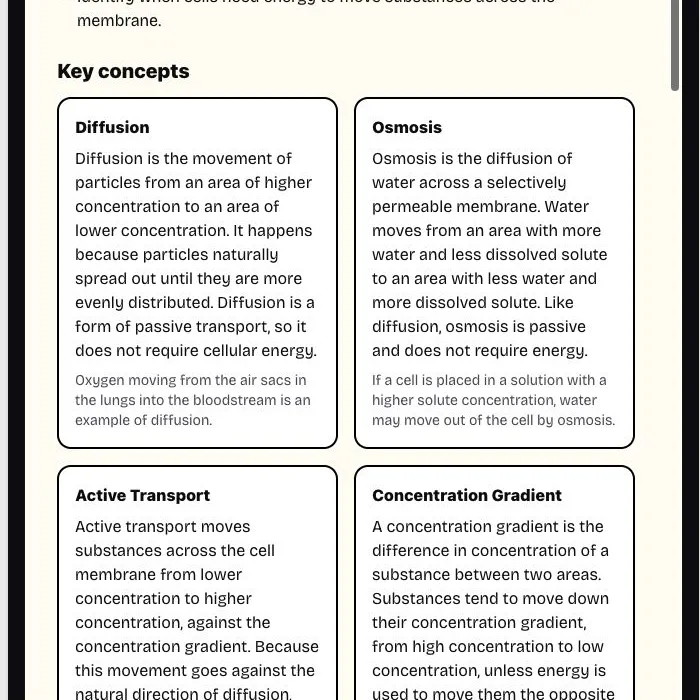
See the overview, objectives, and key concepts as one connected outline.
The AI Study Guide Maker organizes your source material into a focused guide for understanding and practice.
Add your topic, source, or lesson details, choose the settings, then generate a result you can use, copy, or download.
See the overview, objectives, and key concepts as one connected outline.
Review definitions beside explanations, common mistakes, and memory tips.
Use practice questions and the answer key for closed-book recall.
Choose quick, standard, or deep coverage for the session.

Use your notes, a passage, or a PDF with selectable text. Add a topic or exam focus when the source covers more material than you need for the current study session.
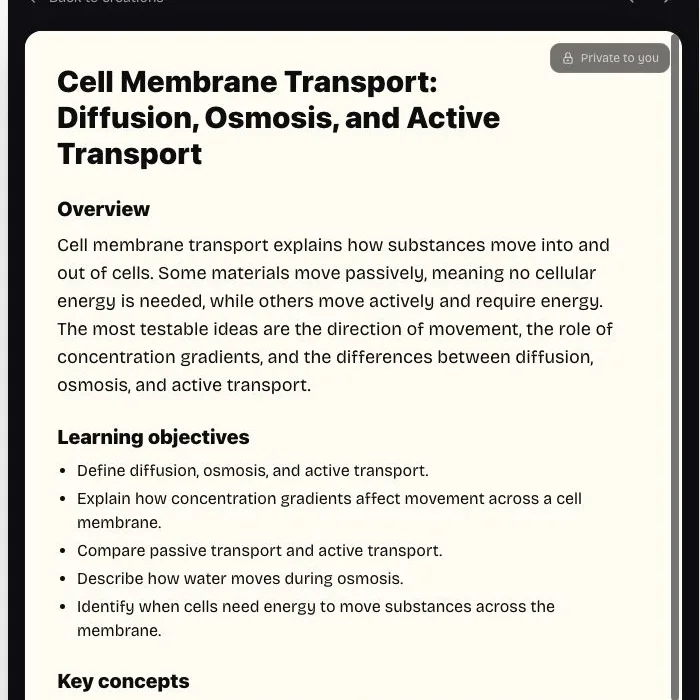
The AI Study Guide Maker organizes objectives, concepts, key terms, common mistakes, memory tips, and practice questions in one review guide. The consistent sections make it easier to move from understanding the topic to checking recall.

Choose learner level, review depth, output language, and an optional study focus. Quick, standard, and deep settings change the amount of concept coverage and practice in the result.

Read the overview once, then cover the explanations and recall key terms from memory. Finish with the practice questions and check weak areas against the answer key. This AI Study Guide Maker turns the guide into a prompt for active review.

Treat every generated guide as a structured draft. Check formulas, definitions, dates, examples, and concept relationships against your course material before relying on them. The AI Study Guide Maker supports review; it does not replace the source or instructor feedback.
Create a study guide
Quick depth keeps the guide compact with 3–5 concepts and 3–4 practice questions. Use it to refresh the main ideas and identify what needs more attention before the next class. This study guide generator setting is intended for a focused refresher rather than a full chapter reconstruction.
Paste the source or select a supported PDF. Select focused, readable material and remove sections that do not belong in the guide.
Choose the learner level, review depth, output language, and optionally name what matters most. Use the focus field to name a chapter, concept, or assessment that deserves extra attention.
Read the structured guide, then copy, download, or regenerate it. Check the guide against the source, then use its questions for a closed-book review.
It includes an overview, learning objectives, key concepts, key terms, common mistakes, memory tips, practice questions, and a short answer key. The sections are generated together so the explanation, vocabulary, and self-check material address the same source.
Yes. Add an optional focus such as chapters, concepts, or an upcoming assessment. A precise focus helps a long source produce a guide that matches the material you actually plan to review.
PDFs with selectable text up to 10 MB and 50 pages work. Scanned image-only PDFs are not supported yet. The browser extracts readable text locally before generation; it cannot recover words embedded only in page images.
Yes. Download the generated guide as a Markdown file without another generation charge. Copying and downloading an existing result are local actions and do not use another credit.
A summary condenses the main information, while a study guide organizes that information for learning. The AI Study Guide Maker adds objectives, key concepts, terms, common mistakes, memory tips, practice questions, and an answer key. Use the summary-like overview to orient yourself, then use the remaining sections to recall and apply what you read.
First, review the overview and concept relationships. Next, hide the explanations and recall the key terms or concepts from memory. Finish with the practice questions and compare your responses with the answer key. Mark uncertain areas in your own notes, return to the original source, and repeat the weakest section later.
Yes. Treat the result as a structured draft rather than an authority that replaces textbooks, instructors, or original sources. Verify technical facts, examples, formulas, and relationships, and make sure the selected level and depth fit the course. Correcting a draft during review can itself become a useful learning step.

Use the AI PDF guide creator with selectable text, add a focus, and choose the depth that matches your study session. Review the generated concepts and answers against your course material, then use the practice section for active recall. The study guide generator remains tied to the source and focus you provided.
Try the Study Guide Creator